Sold Out


BenQ GW3290QT 31.5" QHD USB-C Ergonomic Eye-Care Coding Monitor
BenQ GW3290QT 31.5" QHD USB-C Ergonomic Eye-Care Coding Monitor
Regular price
₹36,299.00
Regular price
₹36,299.00
Sale price
Unit price
/
per
Tax included.
Shipping calculated at check out.
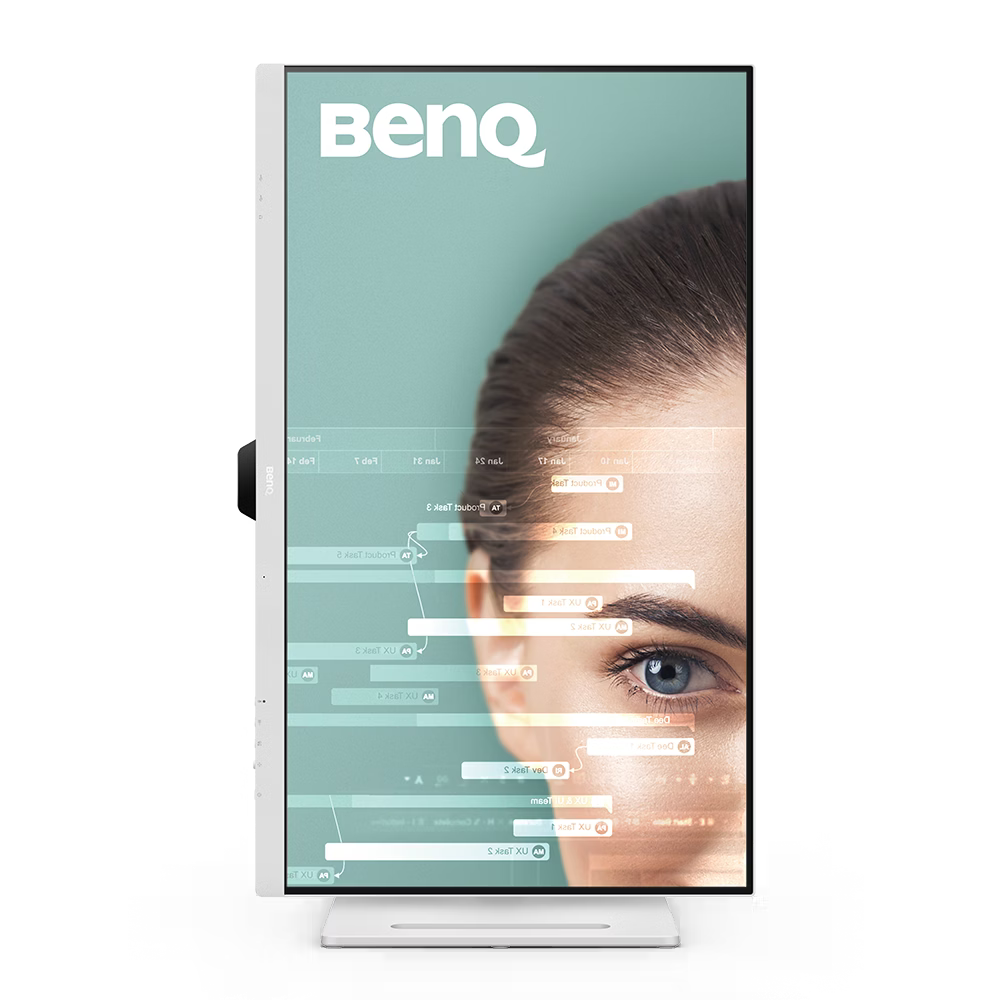
The BenQ GW3290QT is a versatile, productivity-focused 31.5-inch QHD monitor engineered for programmers, home office professionals, and remote workers seeking expansive screen real estate, single-cable USB-C convenience, and comprehensive eye-care technology for extended work sessions. Featuring a 31.5-inch IPS panel with 2560×1440 (QHD) resolution, a 75Hz refresh rate, 99% sRGB colour coverage, USB-C connectivity with 65W Power Delivery, integrated USB hub, DisplayPort daisy-chain support, noise-cancellation microphone, and noise-filter built-in speakers, it delivers a clean, decluttered all-in-one workspace with vivid, accurate visuals. With full ergonomic height, tilt, pivot, and swivel adjustment, dedicated Coding Mode and M-Book Mode, and TÜV Rheinland and Eyesafe-certified eye protection, it covers every practical base for comfortable, productive daily computing. An excellent USB-C hub monitor for capable, eye-friendly, and clutter-free coding and home office desk setups.
Couldn't load pickup availability
- Non-Returnable
- Quality product
- Free Shipping available
Use Case
Use Case
The BenQ GW3290QT is built for programmers, remote professionals, and home office users who want a single USB-C cable to handle video, data, audio, and laptop charging simultaneously, while benefiting from a generous 31.5-inch QHD canvas for multitasking-heavy workflows. It is well-suited for coding and software development thanks to the dedicated Coding Mode, MacBook users via M-Book Mode for visually consistent colour matching, video conferencing through the built-in noise-cancellation microphone, and extended daily desk use where ergonomic adjustability and certified eye-care are essential.
Key Features
Key Features
The GW3290QT features a 31.5-inch IPS panel with QHD (2560×1440) resolution and 99% sRGB colour coverage, delivering more on-screen workspace and sharper detail than standard Full HD displays, with a 75Hz refresh rate and 5ms GtG response time for smooth everyday computing and light gaming. A single USB-C cable handles video, data transfer, and up to 65W of Power Delivery to charge a connected laptop, while a second USB-C downstream port offers 7.5W charging for mobile devices and an integrated USB hub with three additional USB-A downstream ports expands peripheral connectivity. A DisplayPort output enables daisy-chain technology (DP out MST) to connect a secondary display for an extended dual-monitor workspace without running separate cables back to the host device. Noise Filter Speakers (2W×2) reduce background sound for clearer outgoing audio during calls, while the built-in noise-cancellation microphone filters ambient sound when connected via USB-C — both controlled via dedicated front-panel buttons alongside a Low Blue Light+ toggle and an integrated 5-way controller stick for quick on-screen navigation. A dedicated Coding Mode optimises contrast and saturation in dark mode for readable, eye-friendly code, while M-Book Mode minimises visual colour differences between the monitor and a connected MacBook. Brightness Intelligence Gen2 (B.I. Gen2) uses an ambient light sensor to automatically adjust screen brightness based on room lighting conditions. BenQ's TÜV Rheinland and Eyesafe-certified Flicker-Free and Low Blue Light Plus technologies, alongside Color Weakness and ePaper modes, are designed for genuine eye comfort across long working sessions. Full ergonomic adjustability — height, tilt, pivot, and swivel — allows the display to be customised to an ideal comfortable viewing position throughout the day.
Specifications
Specifications
Model: GW3290QT
Screen Size: 31.5 inch
Panel Type: IPS
Backlight: LED
Resolution: 2560 × 1440 (QHD)
Aspect Ratio: 16:9
Refresh Rate: 75Hz
Response Time: 5ms (GtG)
Brightness (Typical): 350 nits
Native Contrast Ratio: 1000:1
Color Gamut: 99% sRGB
Display Colors: 1.07 billion
Viewing Angle (H/V): 178° / 178°
PPI: 93
Display Screen Coating: Anti-Glare
Color Modes: Care Mode, Coding, ePaper, Game, M-Book, Movie, Standard, User
HDCP: 1.4
Connectivity: 1× HDMI (v1.4), 1× DisplayPort (v1.2), 1× DisplayPort Out (MST Daisy Chain), 1× USB-C (65W PD, DisplayPort Alt Mode, Data), 3× USB-A Downstream (USB 3.2 Gen 1, 5Gbps, 4.5W charging), 1× USB-C Downstream (USB 3.2 Gen 1, 5Gbps, 7.5W charging)
Built-in Speakers: Noise Filter Speaker (2W × 2)
Microphone: Noise Cancellation (active via USB-C)
Headphone Jack: Yes
Eye Care: Flicker-Free, Brightness Intelligence Gen2, Low Blue Light Plus, Color Weakness, ePaper, Eye Reminder
Certification: TÜV Rheinland (EyeSafe, Flicker-Free, Low Blue Light), ENERGY STAR 8.0, TCO Certified 9.0, EPEAT Bronze
Ergonomics: Height, Tilt, Pivot, Swivel Adjustment
Color: White
Software: Eye-CareU, Display QuicKit
Compatibility & Requirements
Compatibility & Requirements
System Requirements: Compatible with Windows and Mac laptops via USB-C, HDMI, or DisplayPort; USB-C with DisplayPort Alt Mode required for single-cable video, data, and 65W charging; daisy-chain requires DisplayPort MST support on the host device; firmware updatable via USB
Setup: Single USB-C cable connects laptop for video, data, and 65W charging simultaneously; DisplayPort output connects to a second monitor for daisy-chain dual-display setup; noise-cancellation microphone and noise-filter speakers activate via dedicated front-panel buttons
Mounting Options: Ergonomic stand with full height, tilt, pivot, and swivel adjustment; VESA mount compatible for wall or monitor arm mounting; compatible with optional BenQ accessory base cover (GC01)
Usage Environment: Ideal for coding and software development workstations, home office desks, MacBook-paired setups, and multi-monitor productivity environments requiring a single-cable USB-C hub solution
Warranty
Warranty
3-Year Limited Warranty
Share